 Datcom
by Holy Cows, Inc.
Datcom
by Holy Cows, Inc.
Home Demo videos Buy/Download FAQ
In Brief: Datcom is the United States Air Force Data Compendium, a 3100-page collection of the equations used in design
of airplanes. This manual dates back to the 1930's-1950's, before
computer, when designs and calculations were done by hand and with slide
rules. Digital Datcom is the computer program written in the 1960's-1970's
to incorporate many of these techniques into a computer program, to speed the
process of analyzing a new or existing aircraft design. The original
Digital Datcom program is a batch program, and is very user-abusive,
especially for the new user.
Datcom+ was
an extension of the Digital Datcom program, which incorporated some tools to
make it easier to use the Digital Datcom program. The origins of this package
were started in 1996, and supported up through 2010 by Holy Cows, Inc.
Datcom+ Pro is the next generation of this program, which has been
made much more user-friendly. Visualization tools allow you to see your
aircraft immediately, and coefficient data generated by the Digital Datcom
program is plotted on X-Y graphs for ease of interpretation and inclusion into
reports. Additionally, your Datcom+ model can now be run in JSBSim, a full 6
degree-of-freedom equations of motion model, and sample flight test scripts are
provided to execute standard flight test maneuvers.
Note: This is for the Airplane
Datcom only. The Missile Datcom is a completely different program, which
I do not support. For more information on the Missile Datcom, see here.
Features in Datcom+ Pro not in the free version
·
150+ page user’s manual
·
Broader range of examples
·
Smoother operation
·
Better error detection and presentation
·
Less-restrictive input file format (no column
limits or restrictions)
·
Better 3D models, including control surfaces
·
Easy comparison of baseline coefficients
·
Pictures of airfoil and fuselage
cross-section
·
Better integration with JSBSim
·
Example of JSBSim flight test maneuvers
·
Easy comparison of baseline flight test
results
·
Better documentation, including info on
building your own models
LIMITATIONS
The Airplane Datcom CANNOT support the
following:
·
Datcom was
designed in the 19060’s, and is intended for normal fixed-wing aircraft.
Advanced designs such as the F-35, F-16, F-18, Rafale, and other aircraft that are
inherently unstable and use a Flight Control Computer to keep the aircraft
flying cannot be accurately modeled with Datcom.
·
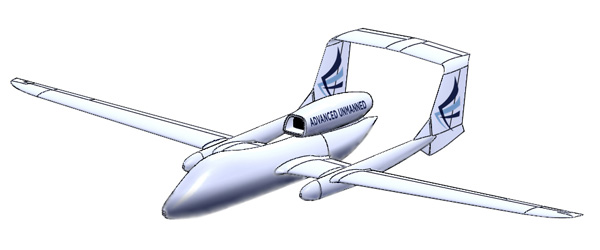
Twin boom tails, similar to this:
·
Missiles – There is a Missile Datcom for
that. This is the Airplane Datcom only.
·
Helicopters
·
This from the Digital Datcom User’s Manual :
“Users are advised to be
mindful of section characteristics which are sensitive to Reynolds number,
particularly in cases where very low Reynolds number estimates are of interest.
A typical example would be pretest estimates for small, laminar flow wind tunnels
where Reynolds numbers on the order of 100,000 are common.”
This is a report that I wrote comparing the
aerodynamic coefficients generated by Datcom for 6 different aircraft. The
results showed that Datcom did a respectable job, but I will leave it up to you
to decide if it is good enough for your task
Operating
Systems Supported
- Windows
XP, Vista, 7, 8, and 10 (32 and 64 bit versions)
- Linux
- NO ! (There is free version still available)
- Mac
- NO ! Probably never will

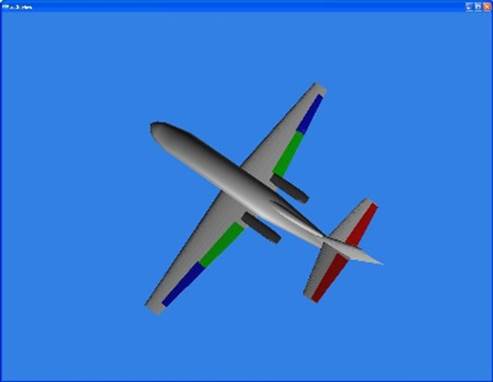
AC3D models are produced, including control
surfaces. This model can be rotated via the mouse or keyboard.
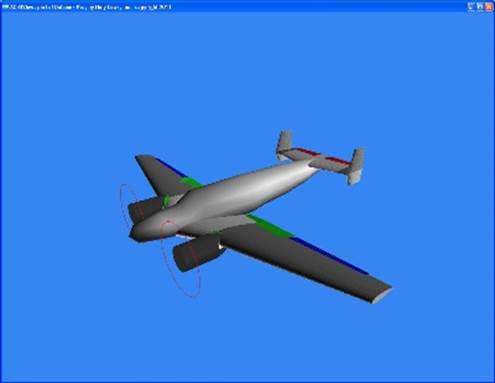 Twin vertical Stabilizers
are now supported.
Twin vertical Stabilizers
are now supported.
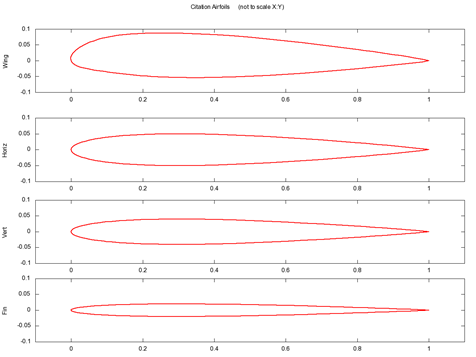
Airfoil cross-sections are produced for the
wing, horizontal stabilizer, vertical stabilizer, and vertical fin:
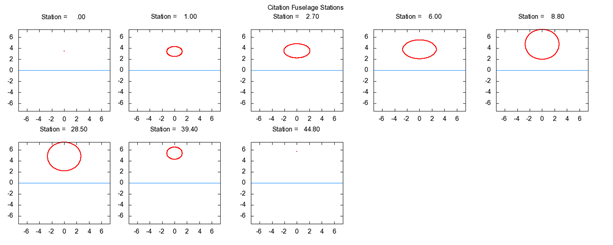
Fuselage cross-sections are produced for
every fuselage station:
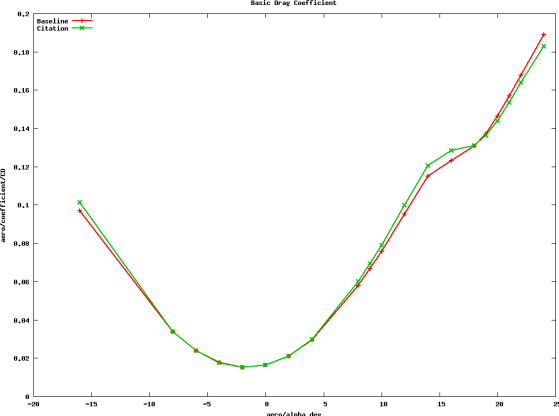 Powerful new
plotting techniques allow you to quickly see the effects on coefficients by
changing any parameter in your model
Powerful new
plotting techniques allow you to quickly see the effects on coefficients by
changing any parameter in your model
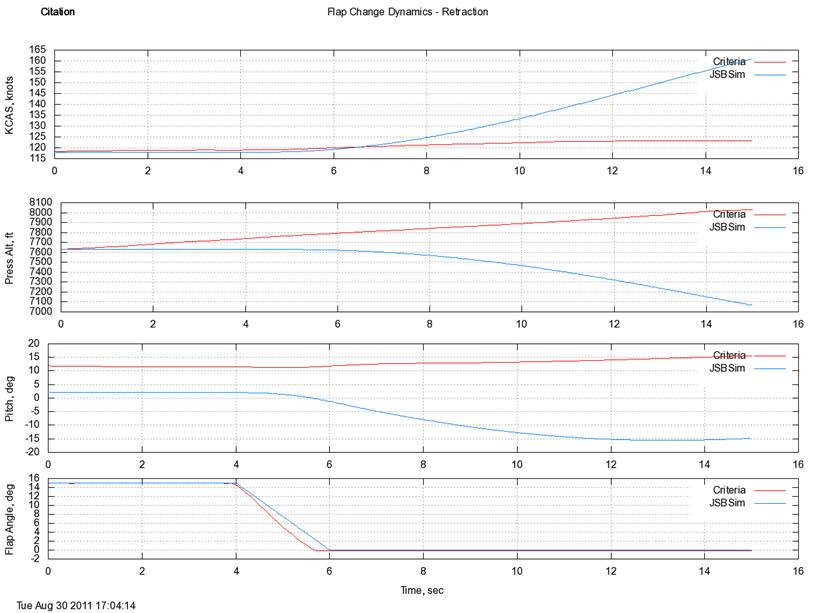
Execute flight test maneuvers on your model
using JSBSim and plot the results. Plot JSBSim results against criteria data or
baselined versions of your model, to see the effects of changing a parameter in
your model:
Many examples are delivered with the Datcom+
Pro package, including:
- Beechcraft
T-34C
- Beechcraft
Model 18 (Beech 18)
- Boeing
737-300
- Canard-configuration
aircraft
- Cessna
C-172
- Cessna
Citation II
- Flying
Saucer
- North
American Aviation Navion
- Northrop
T-38 Talon (also works as an F-5)
- Northrop
XB-35 Flying Wing
- Schleicher
ASW-20 Sailplane
- Space
Shuttle
- Zeppelin
NT Airship (Not the best use of Airplane Datcom, but it’s better than no
data at all)
Tiananmen Square